
The Forge Script is a Lua-based cheat script designed for the Roblox game The Forge. By using this script, players can unlock a wide range of powerful features like Auto Attack, Auto Mine, Auto Farm, Instant Forge, Instant Kill, Ore Spawner, and several other automation tools that make gameplay faster and easier.
The Forge (Beta) was recently released and updated on Roblox and has already gained massive popularity, with over 500,000 active players jumping into the game.
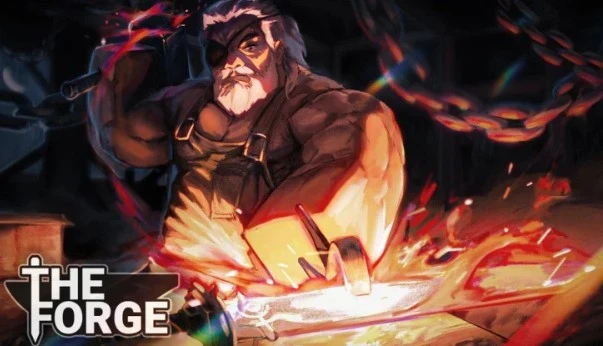
Table of Contents
What Is The Forge Script?
The Forge Script is a custom Lua automation script created by third-party developers for the Roblox game The Forge. When used with a Roblox script executor, it enables players to automate repetitive actions such as auto mining, auto forging, auto attacking, kill aura, teleporting to resources, auto selling, and even managing inventory automatically.
Most updated versions available in 2026 are keyless, which means you don’t need any activation key to run them. You simply copy the loadstring, paste it into a supported executor, and the script loads instantly.
Once launched, the script opens a full GUI menu that lets you automate mining, fighting, forging, farming, and selling with just a few clicks. Because it speeds up progress dramatically, players who want to level up faster or farm resources efficiently often rely on this script.
All Roblox The Forge Scripts (2026)
1. Speed Hub
loadstring(game:HttpGet("https://raw.githubusercontent.com/AhmadV99/Speed-Hub-X/main/Speed%20Hub%20X.lua", true))()2. Zenith Hub
loadstring(game:HttpGet("https://zenithhub.cloud/panel/script"))()3. Lunor Hub
loadstring(game:HttpGet("https://lunor.dev/loader"))()4. Axiom Hub
loadstring(game:HttpGet("https://api.luarmor.net/files/v3/loaders/281e3549d77ad146fff9e409722b6140.lua"))()5. Bonk Hub
loadstring(game:HttpGet("https://bonkhub.online/loader.lua",true))()6. UB Hub
loadstring(game:HttpGet("https://raw.githubusercontent.com/TeamUBHub/UBLoader/refs/heads/main/index/Key.lua"))()7. Black Hub
loadstring(game:HttpGet("https://raw.githubusercontent.com/Skibidiking123/Fisch1/refs/heads/main/FischMain"))()8. Lazy Hub
getgenv().mobileMode = false -- set true if ur on mobile device
repeat wait() until game:IsLoaded()
loadstring(game:HttpGet("https://raw.githubusercontent.com/LioK251/RbScripts/refs/heads/main/lazyuhub_theforge.lua"))()
9. Mirage Hub Script (NO KEY!) – Dupe, Instant Mine, Fast Gold, Auto Farm and More
loadstring(game:HttpGet("https://api.luarmor.net/files/v3/loaders/2075c39b9a5a2e4414c59c93fe8a5f06.lua"))()10. Dupe Script – Auto Farm Mode, Auto Attack, Instant Forge
loadstring(game:HttpGet("https://raw.githubusercontent.com/GiftStein1/pepehook-loader/refs/heads/main/loader.lua"))()11. Simca Hub – Auto Mining, Instant Forge, Quests
loadstring(game:HttpGet("https://raw.githubusercontent.com/notmydaisy/simca/main/games/the-forge"))()12. Best Keyless OP Script
loadstring(game:HttpGet("https://pastefy.app/DfumnMOa/raw"))()13. No 1 Hub
loadstring(game:HttpGet("https://raw.githubusercontent.com/SkibidiHub111/Forge/refs/heads/main/No1Dev"))()14. The Forge Script – Instant Forge, Instant Kill, Auto Farm, Ore Spawner
loadstring(game:HttpGet("https://lunor.dev/loader"))()15. Solix Hub
loadstring(game:HttpGet("https://pastefy.app/tWslZUaE/raw"))()16. Haze Hub
loadstring(game:HttpGet("https://haze.wtf/api/script"))()17. The Forge Hack/Script – Auto Mining, Instant Forge, GodMode
loadstring(game:HttpGet("https://pastefy.app/RpcM27HB/raw"))()18. The Forge Hack/Script – Auto Mining, Instant Forge, GodMode
loadstring(game:HttpGet("https://pastefy.app/RpcM27HB/raw"))()19. Chiyo Hub
loadstring(game:HttpGet("https://raw.githubusercontent.com/kaisenlmao/loader/refs/heads/main/chiyo.lua"))()20. Instant Fast Mine Fast Fight Free Rewards And More
loadstring(game:HttpGet("https://gist.github.com/CodeCrucial/04d3d699bc13894df0d98c7cdce407d3/raw/gistfile1.txt"))()21. ATG Hub
loadstring(game:HttpGet('https://raw.githubusercontent.com/ATGFAIL/ATGHub/main/The-Forge.lua'))()23. NS Hub
loadstring(game:HttpGet("https://raw.githubusercontent.com/OhhMyGehlee/sh/refs/heads/main/a"))()24. Legend Hub
loadstring(game:HttpGet("https://pastefy.app/ULaWpxKm/raw"))()25. The Forge [BETA] Script – Auto Fast Mine, Auto Fight, Instant Buy, Keyless
loadstring(game:HttpGet("https://airflowscript.com/loader"))()The Forge Script Features
Auto Mining & Resource Collection
Level up your gameplay effortlessly with advanced auto-mining tools. The script automatically detects and targets valuable ores such as coal, diamonds, and rare minerals, saving you from constant manual grinding. It handles the entire mining process on its own, letting you sit back and watch your inventory fill up while you explore, chat, or even stream on YouTube.
Instant Forging
Crafting weapons and gear becomes incredibly fast with the Instant Forge feature. Instead of waiting through long crafting animations, the script transforms collected materials into finished equipment in a single click. Whether you’re building new tools from cave resources or upgrading gear for boss fights, this function makes progression quicker and smoother.
Teleport & Fast Travel
Skip long walks and teleport instantly to important zones. With this travel system, you can jump directly to caves, ore-rich locations, boss arenas, and hidden resource spots in seconds. It’s perfect for speeding up exploration and works seamlessly on both PC and mobile devices.
Combat Automation (Kill Aura + Auto Attack)
Crush enemies without lifting a finger. The kill aura automatically detects and eliminates nearby foes, making dangerous zones—like zombie areas or high-level mob regions—much easier to clear. Combined with the auto-attack function, you can farm enemies, collect drops, and stay safe effortlessly.
Auto Merge System
Turn your mined resources into higher-value items automatically. The Auto Merge feature combines collected materials in your dump or inventory to maximize profits and ensure you get the best possible value from every farming run.
Auto Farm (Enemy & Drops)
Farm mobs and gather drops at lightning speed. This feature works with customizable settings and includes ESP-powered targeting, making it easy to collect rare items or specific gear. It’s ideal for players who want continuous resource flow without long grinding sessions.
ESP & Player Detection
Gain complete awareness of your surroundings. ESP outlines players, resources, hidden items, and enemies through walls, giving you a big strategic advantage. Whether you’re exploring, looting, or avoiding ambushes, this tool ensures you always know what’s around you.
Auto Sell Inventory
Stop wasting time sorting items. The Auto Sell tool automatically sells unwanted loot, clears space, and keeps your inventory organized. You stay focused on gameplay while the script handles the selling and profit optimization for you.
Auto Upgrade Equipment
Maintain powerful gear without the grind. This feature scans your inventory and upgrades your tools and weapons automatically using available materials. Your equipment stays fully optimized at all times, giving you a huge advantage in mining, combat, and boss battles.
How to Use Forge Scripts Safely (Step-by-Step Guide)
Using Forge Scripts correctly is important if you want everything to run smoothly without crashes, errors, or failed injections. Most issues happen because users skip steps or set up their executor incorrectly. Follow the guide below in the exact order for the best experience.
Step 1: Install a Reliable Roblox Executor
Start by downloading a trusted and stable executor like Delta, Solara, Wave, or Arceus X. These are known to work well on Windows, macOS, Android, and iOS.
Stay away from shady “free executor” sites. Many of them offer outdated or fake keyless executors that can contain malware, steal data, or simply crash your game.
Step 2: Set Up the Executor Correctly
Install the executor exactly as the developer instructs. Some executors require key activation, so make sure to complete the key verification steps if needed.
Skipping this setup often results in injection errors, which prevent any script—including The Forge Script—from loading at all.
Step 3: Launch Roblox and Join The Forge
Open Roblox and enter The Forge game. Let the game load completely and wait until your avatar has fully spawned.
Injecting too early is one of the most common mistakes, and it leads people to think the script is broken when the timing is the real issue.
Step 4: Inject the Executor Inside The Forge
Once you’re fully inside the game, start your executor. It should automatically detect Roblox.
If it doesn’t, it means:
- the executor wasn’t installed properly, or
- the version you’re using isn’t compatible with the game
Fixing this is essential before moving to the next step.
Step 5: Copy a Working Forge Script (2026 Version)
Always use the latest version of The Forge Script. New game updates often break older scripts, so avoid random Pastebin, outdated forum threads, or scripts that haven’t been updated for months.
Use a verified, regularly updated source to ensure the script works after every Forge Beta update.
Step 6: Paste and Execute the Script
Paste the script’s loadstring into your executor and hit Execute.
If your executor is powerful enough, the GUI will load instantly, giving you full access to the script’s advanced features.
After activation, you can use automation tools such as:
- Auto Farm
- Auto Forge & Auto Craft
- Kill Aura & Auto Attack
- Teleport & Fast Travel
- Instant Mining & Resource Automation
These tools speed up your progress dramatically and make grinding much easier inside The Forge world.
Conclusion
Forge scripts can significantly boost your efficiency in Roblox: The Forge by automating mining, forging, combat, and overall progression. With features like instant mining, auto attacks, auto forging, and resource management, these scripts make it easy for casual players to keep pace with grinders and experienced players. The built-in GUI further simplifies everything, giving you quick access to powerful automation tools.
If you decide to use these tools anyway, do so wisely. Limit automation to basic tasks and play manually for important in-game activities. Protect your account, keep your device secure, and think about the long-term enjoyment of the game. While OP scripts offer amazing convenience, they can also take away the sense of achievement that comes from progressing naturally in The Forge.